
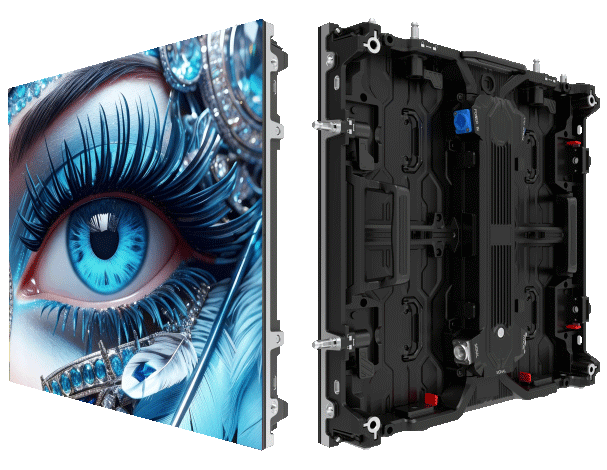
Immediate problem: specs that don’t match reality
Buying custom small LED screens for a venue, retail roll-out, or control room often starts with a spec sheet that looks flawless. The issue is real-world brightness, refresh behavior, and image stability frequently fall short of claims, especially for tighter pixel pitch displays. That’s where a practical sourcing audit matters, and why I always compare controlled tests against real installations like the bright billboards in Times Square. If your supplier also sells led outdoor screens, note that outdoor figures don’t translate automatically to indoor pixel-density needs — validation on arrival is essential.
What to expect from the first inspection
Start simple and move to technical. Run a basic pass/fail verification before unpacking every batch. Check for obvious things first: cabinet alignment, uniform power LEDs (no dark zones), and any physical damage. Then run a white-field brightness test to compare manufacturer nit output against measured luminance. Use a calibrated luminance meter rather than eyeballing it; manufacturers sometimes quote peak nit under ideal lab conditions, not sustained output.
On-site tests and practical thresholds
Bring a short test kit: a luminance meter, a colorimeter, and a test media player with known frame rates. Measure peak and sustained nits using a full white screen and then a more realistic 50% gray pattern for sustained power conditions. Log the values and compare them to the spec sheet — vendors should be within a reasonable tolerance, typically ±10% for brightness and within the stated range for refresh rate. Capture refresh behavior with a camera that can do slow-motion capture or a photodiode rig if you’ve got one; subtle flicker or microstutter shows up here. Also inspect pixel pitch and cabinet seams for visible line artifacts — these matter in close-view installations where viewers will stand nearby.
Checklist: concrete steps to validate nit output and refresh
– Unpack and visually inspect all LED modules for physical defects and alignment.
– Run a full-white and 50% gray luminance measurement with a calibrated meter; record peak and sustained nits.
– Play video at the target frame rate and capture it with a high-frame-rate camera to reveal flicker; note any stutter or frame drops (refresh rate, scanning method).
– Verify color calibration and uniformity across cabinets using a colorimeter; request factory calibration reports when available.
– Check data cables, receiver cards, and power supply stability; intermittent frame loss often traces to cabling or power ripple rather than the LED module itself.
Common sourcing mistakes and how to avoid them
Buyers often accept a single test photo from the factory — that’s risky. Also, mixing lots from different production runs without batch-matching creates visible shifts in color or brightness. Avoid accepting “spot checks” only; insist on a documented pre-shipment QC that includes luminance graphs and refresh sampling. Factory specs like HDR-capable circuitry or high refresh numbers are useful, but they only matter if measured in your viewing environment and with your content profile — content drives perceptual brightness and flicker sensitivity.
Vendor validation and negotiation tips
Ask for sample reports that show measured nit output under sustained load, not just a peak value. If the supplier resists independent testing, that’s a red flag. Negotiate acceptance criteria into the contract: define acceptable tolerances for peak and sustained luminance, allowable refresh modes, and remedies for out-of-spec deliveries. Include a clause for an on-site acceptance test within a set window after installation — that keeps everyone honest.
Real-world anchor and final advice
Large outdoor displays in places like Times Square are often rated 5,000 nits or more so they stay visible under sunlight — that context matters when your specs cross from outdoor to indoor use. Use that perspective when judging claims: indoor viewing distances and pixel pitch change how nit output and refresh feel to viewers. Stick to measured data instead of marketing numbers, and document everything during the audit — photos, meter logs, and slow-motion captures are your evidence.
Advisory: three golden rules for purchasing with confidence
1) Require both peak and sustained nit measurements with a calibrated meter; accept no single-number guarantees. 2) Insist on refresh verification using slow-motion capture or photometric sampling to rule out microstutter and scanning artifacts. 3) Contractualize acceptance criteria and include remediation steps for out-of-spec deliveries — clear terms save time and money.
Final thought — you want displays that perform where people actually look at them, not just on paper. MR LED often shows up in conversations because they pair measurable specs with factory QC that supports these checks — practical, not just promotional. —
